
Stop guessing why your plants are sad.
Bright Sill turns Claude, ChatGPT, Gemini or Grok into a houseplant expert who starts with light and roots, not myths. Tell it your plant, window, pot and what the leaves are doing, and get a clear answer: where it should live, when and how much to water, when to repot, how to deal with pests, how to propagate it, and whether it's safe around your pets.
Get Bright Sill Plant Keeper for $5 Check my light
$5 once · card, Apple Pay or Google Pay · download in a minute
Into more than one hobby? Get all 70 hobby skills for $19, this one included.
- One-time $5
- Instant email delivery
- 14-day refund
- Works in Claude, ChatGPT, Gemini and Grok
Plant check: monstera, yellow lower leaves
North-facing window · 10 in plastic pot · watered weekly
Light reading: 5,000 luxCat in the houseApartment
- LightAbout 465 fc: medium light, low for a monstera8 h at this level is a DLI near 2.7; it wants 8 or moreMove
- WaterWeekly is too often in this lightWater when the top 2 in are dry; soak, then drainFix
- RootsCheck for soft, dark, smelly rootsTrim rot, repot in a chunky mix, same size potCheck
- PlaceMove within 3 ft of an east or west windowOr add a grow light 12 h a dayPlan
- PetsMonstera is toxic to cats: keep it out of reachChewing causes mouth pain and droolingSafety
Everything a good plant shop expert keeps in their head
One skill, six jobs. Claude, ChatGPT, Gemini or Grok picks the right one from what you ask.
Light and placement
Turns your window, distance and a phone light reading into low, medium or bright light, and picks plants that fit.
Watering by pot and plant
When and how much to water, based on the plant, the pot, the mix and the light, not a calendar.
Repotting
When a plant really needs it, which size and mix to choose, and step-by-step repotting without shock.
Pests and problems
Yellow leaves, brown tips, drooping, spider mites, fungus gnats, mealybugs and scale: the likely cause and the fix.
Propagation
Cuttings, division, leaves and offsets, with where to cut and how to root each plant.
Pet-safe warnings
Flags plants that are toxic to cats and dogs, and says what to do if your pet chews one.
Ask it like you'd ask the expert at your favorite plant shop
It starts with light, water and roots, so the answer fits your plant and your home.
Most likely: not enough light, plus watering that doesn't match it (medium confidence)
Fiddle leaf figs want bright light, ideally right by a bright window. At 6 feet, light can be a quarter of what it is at the glass. In lower light the plant uses less water, so a fixed weekly cup can keep the bottom of the pot soggy while the top looks dry.
What to do
- Move it within 2 to 3 feet of the south window, out of a hot draft.
- Stop the schedule. Water when the top 2 inches are dry, then water until it runs out the bottom and empty the saucer.
- Check the roots if leaves keep dropping: firm and pale is good; dark, mushy and smelly is rot.
- Then leave it alone. Fiddle leaf figs drop leaves when moved, so expect a few more for 2 to 3 weeks.
Pets
Ficus sap is irritating to cats and dogs, so keep fallen leaves picked up.
Example answer from the full skill. Your answers depend on what you ask.
Honest about houseplants
Plant care is full of hacks. Bright Sill tells you what actually keeps plants alive.
- Light firstMost problems start with too little light. It asks about your window and distance before blaming water.
- No watering calendarsPlants drink by light, heat and pot, not by the day of the week. It teaches you to check the soil.
- Pets come firstIt flags toxic plants every time a pet is mentioned, and sends you to a vet or poison line if one is chewed.
- Gentle on pestsIt starts with the simplest fix and tells you to follow the label on any product you use.
Up and running in two minutes
No app to learn and nothing to install on your computer. It lives inside Claude, ChatGPT, Gemini or Grok.
Buy once
Pay $5 by card, Apple Pay or Google Pay. Your download link arrives by email in about a minute.
Add it to Claude, ChatGPT, Gemini or Grok
Upload the ZIP under Skills in Claude, or the unzipped folder in Gemini. It takes about 30 seconds. In Grok, upload the ZIP, or paste the included paste-in file into a new skill. In ChatGPT, add the included paste-in file to a Project.
Just ask
"Why are my pothos leaves yellow?" "Which plants work in a north window?" "Is a snake plant safe for my cat?"
Pick your app for the exact clicks
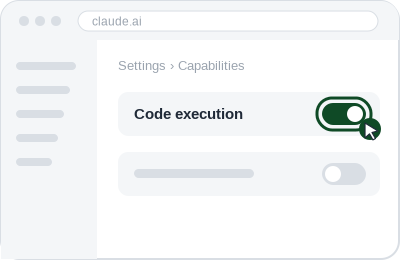
1In Settings, then Capabilities, turn on code execution.
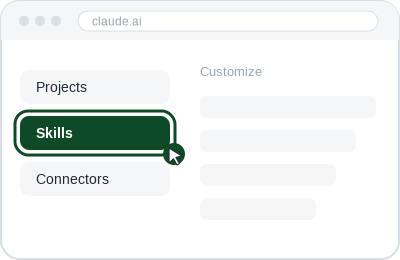
2Open Customize, then Skills.
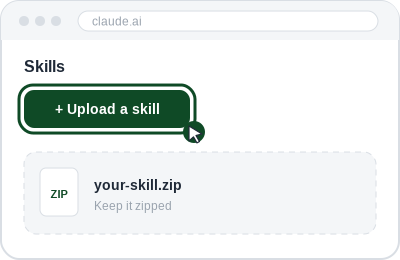
3Click +, choose Upload a skill, pick the ZIP. Keep it zipped.
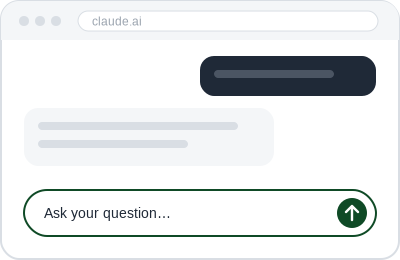
4Start a new chat and ask. Claude picks up the skill.
Works on every Claude plan, including the free one. Free plans have lower usage limits.
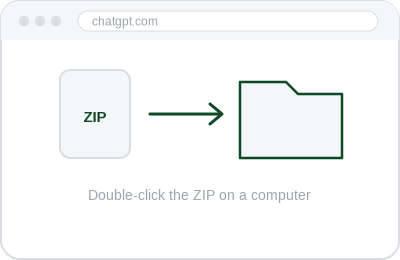
1On a computer, unzip the download and find ANY-AI-PASTE-VERSION.txt.
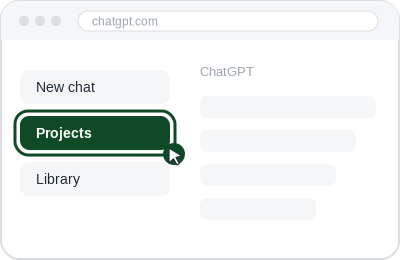
2In ChatGPT, open Projects and make a new project.
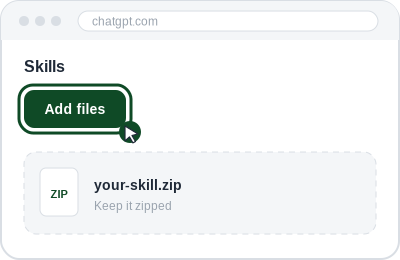
3Add the .txt file to the project. In its instructions, type: Follow the attached file.
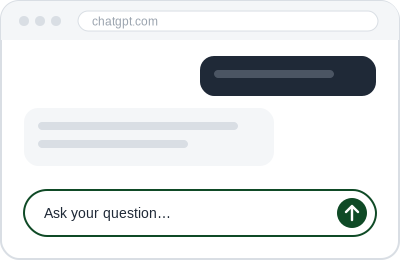
4Start a chat in that project and ask. On a Business, Enterprise or Edu plan, you can upload the ZIP under Skills instead.
Personal ChatGPT plans (Free, Plus, Pro) don't have a Skills page yet, so you use the paste-in version in a Project. On a Business, Enterprise or Edu plan, go to chatgpt.com/skills, choose Add, then Upload from your computer.
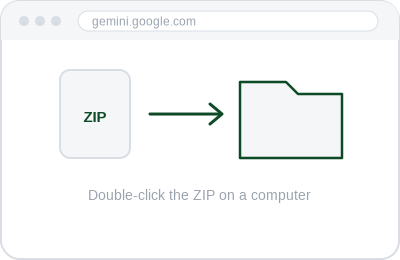
1On a computer, unzip the download. You get a folder.
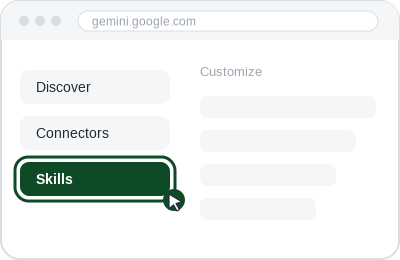
2At gemini.google.com, open Customize, then Skills.
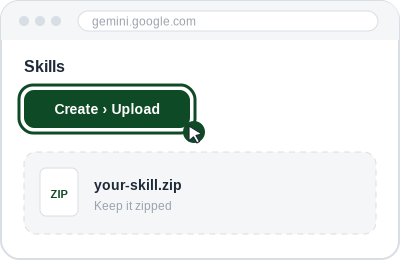
3Choose Create, then Upload, then folder. Pick the unzipped folder.

4Start a new chat and ask.
Gemini takes the unzipped folder, not the ZIP. Menus in Gemini change often, so names may differ slightly.
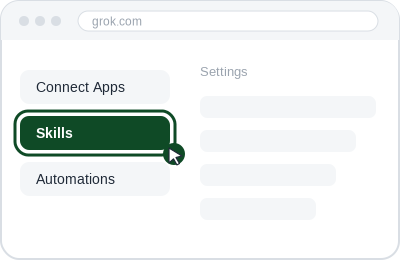
1At grok.com, open Settings, then Skills.
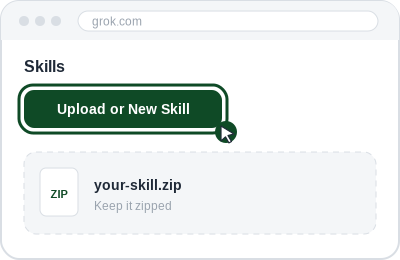
2If you see Upload, pick the ZIP. If you only see New Skill, use the next step.
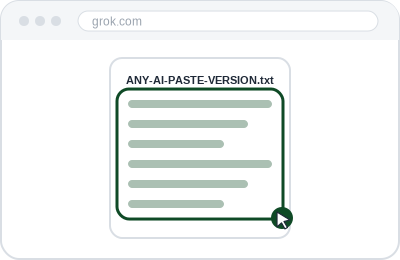
3New Skill: name it, then paste the text of ANY-AI-PASTE-VERSION.txt (below the line of equals signs) into Instructions.

4Save it, start a new chat and ask.
Some Grok plans upload the ZIP; others show a New Skill form, where you paste the skill text in. Menus in Grok change often, so names may differ slightly.
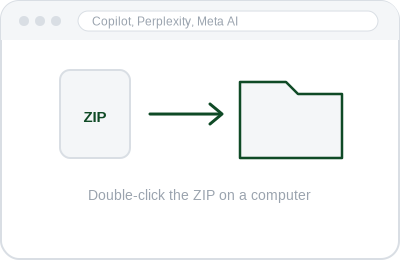
1No Skills page? Unzip the download on a computer.
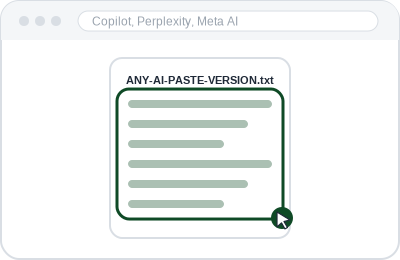
2Open ANY-AI-PASTE-VERSION.txt and copy everything.
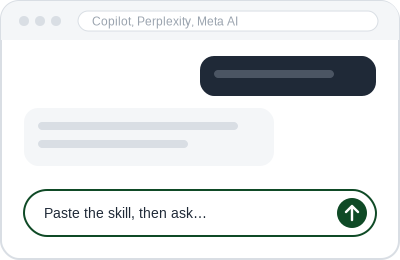
3Paste it into a new chat, then ask your question.
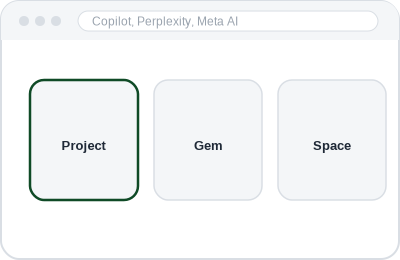
4To keep it on, add it to a ChatGPT Project, Gemini Gem or Perplexity Space.
Using Claude Code, Codex, Cursor or another coding agent? Unzip it into the skills folder, for example unzip bright-sill-plant-keeper.zip -d ~/.claude/skills/
On your phone? Go ahead and buy: the download link goes to your email and works for a year. Adding a skill is easiest from a computer, in a web browser or the desktop app, so open that email there when you're ready. Want to try it on your phone today? Open the ZIP, copy ANY-AI-PASTE-VERSION.txt into any chat app, and ask.
Start with the free Light Check
A small skill that tells you how much light a spot really gets from the window, distance and a phone reading, and which plants will thrive there.
- Low, medium, bright or direct light, explained
- Plants that fit, flagged if toxic to pets
- Simple watering rule for that spot
Get Bright Sill Plant Keeper
Pay once, use it for every plant you bring home. Includes the free Light Check too.
How to add it
Upload the ZIP under Skills in Claude, or the unzipped folder in Gemini (in Grok, upload the ZIP or paste the paste-in file into a new skill; in ChatGPT, add it to a Project), then start a new chat and try: "My pothos has yellow leaves and some brown spots. It's in a 6 inch plastic pot about 5 feet from an east window and I water it every week. What's going on?"
See the clicks for your app. Every download also comes with a paste-in version for any other chat, and a Start Here PDF.
Step-by-step guides with pictures: Claude · ChatGPT · Gemini · Grok
Bright Sill Plant Keeper
Light, watering, repotting, pests, propagation and pet safety for houseplants.
$5 one time
- Light levels and placement for your windows
- Watering by plant, pot and mix
- Repotting and potting mix recipes
- Pest and problem fixes
- Propagation steps for common plants
- Pet-toxic plant warnings
- Updates for a year
Card, Apple Pay or Google Pay through Stripe. Taxes calculated at checkout. 14-day refund.
Giving it as a gift? Buy it, forward the email, and print a gift card.
See a real answer from the full skill
You ask: My fiddle leaf fig keeps dropping leaves. It's about 6 feet from a south window and I water it a cup every Sunday. What's wrong?
Most likely: not enough light, plus watering that doesn't match it (medium confidence)
Fiddle leaf figs want bright light, ideally right by a bright window. At 6 feet, light can be a quarter of what it is at the glass. In lower light the plant uses less water, so a fixed weekly cup can keep the bottom of the pot soggy while the top looks dry.
What to do
- Move it within 2 to 3 feet of the south window, out of a hot draft.
- Stop the schedule. Water when the top 2 inches are dry, then water until it runs out the bottom and empty the saucer.
- Check the roots if leaves keep dropping: firm and pale is good; dark, mushy and smelly is rot.
- Then leave it alone. Fiddle leaf figs drop leaves when moved, so expect a few more for 2 to 3 weeks.
Pets
Ficus sap is irritating to cats and dogs, so keep fallen leaves picked up.
Into more than one hobby? The Skill Pass gets you all 70 hobby skills, this one included, for $19.
New to AI skills?
Bright Sill is a skill: a set of expert instructions you add to your own Claude, ChatGPT, Gemini or Grok account, so it answers like a houseplant expert who knows the craft.
- Using Gemini? Unzip it and upload the folder on its Skills page. Using Grok? Under Settings, Skills, upload the ZIP or paste the paste-in file into a new skill. Using ChatGPT? Add the included paste-in file to a Project.
- New to all of them? Claude is an AI assistant made by Anthropic. Make an account at claude.ai: skills work on every Claude plan, including the free one, with code execution turned on in Settings, Capabilities.
- Try the free Light Check skill first. If you like it, the full skill is one purchase.
Not ready for an AI app? The free houseplant light calculator on this site works in any browser, no account needed.
Free houseplant tools
No sign-up, they run in your browser.
Made by Nic Hubert, What If Labs
I run What If Labs from British Columbia, Canada. I build each skill with AI help and test it on real questions, and a separate reviewer checks it before it goes on sale. If it doesn't do what this page says, email me at hello@whatiflabs.ai and I'll fix it or refund you.
No reviews yet: this store is new. Tell me how it went and I'll use it to make the skill better.
Questions
Which plants does it know?
Common houseplants and many collector plants: pothos, philodendrons, monsteras, snake plants, ZZ plants, ficus, calatheas, ferns, succulents, cacti, hoyas, orchids, African violets, palms and herbs on a sill.
Do I need a light meter?
No. Tell it which way the window faces and how far the plant is from it. A free phone light app gives a better reading, and it explains how to take one.
Can it tell what's wrong from a photo?
If your AI can see images, a photo of the leaves, the soil surface and the roots helps a lot. It still asks about light, watering and the pot, because the same yellow leaf can have different causes.
Is it safe advice for homes with pets?
It flags plants that are toxic to cats and dogs. If a pet has chewed a plant, it tells you to call your vet or a pet poison line, and to go now for lilies and cats.
What do I need to use it?
A Claude, ChatGPT, Gemini or Grok account. In Claude it works on any plan, including the free one, with code execution turned on (Settings, Capabilities). Free accounts have lower usage limits, so long planning sessions go further on a paid plan. It works in Claude on the web, the desktop app and Claude Code. In Gemini and Grok, upload it on the Skills page. In ChatGPT, personal plans (Free, Plus, Pro) don't have Skills yet, so you add the included paste-in file to a ChatGPT Project; Business, Enterprise and Edu plans can upload the ZIP under Skills. Coding agents that read SKILL.md files work too. Using Copilot, Perplexity, Meta AI or another chat with no Skills page? Every download includes a paste-in version (ANY-AI-PASTE-VERSION.txt) that works in any AI chat.
What if it doesn't work for me?
Email hello@whatiflabs.ai within 14 days of buying and we'll refund you in full. No forms, no questions.
How is this different from just asking an AI?
A general AI answer is often vague or skips steps. The skill gives your AI an expert's method: what to ask you first, the checklists and calculations to run, and the mistakes to warn you about. You get consistent, specific answers instead of a different guess each time.
Do I pay every month?
No. It's a one-time price, and updates to the skill are free.
Can I get a refund?
Yes. Every purchase comes with a 14-day refund, no questions asked. Reply to your receipt email and we'll take care of it.
What if it gets something wrong?
It shows its working, so you can check numbers and dates. Tell it what's off and it will correct itself. For anything where a mistake costs money or safety, double-check before you act, as you would with any advice.
Is my information private?
The skill runs inside your own Claude, ChatGPT, Gemini or Grok account, and we never see your chats. When you buy, Stripe handles the payment and we keep your email and order so we can send the download. The terms and privacy page has the details.